New MyTape™ now speaks සිංහල and தமிழ் — switch language in one tap.Now in සිංහල & தமிழ் Try it free
Step-by-step guide

MyTape™ for carpenters & furniture makers, step by step

Seven steps from pricing the job to collecting the balance, with real screens from the app. The examples use Wood & Craft Carpentry, a sample business.

Screens from the MyTape™ app

Set up your rate card

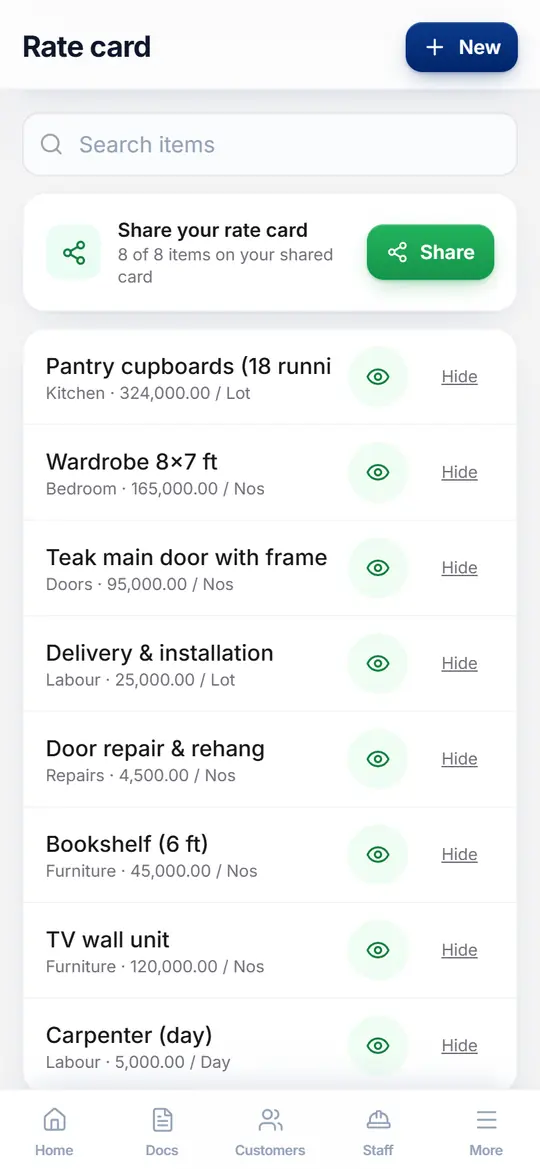
Open More, then Rate card, and add the jobs and materials you price most often with your usual rate. For carpenters & furniture makers, that might be Pantry cupboards (18 running ft) and Wardrobe 8x7 ft. When you quote, you pick them instead of typing.

TipOn Pro and Enterprise you can import a whole price list from Excel.
Set up your rate card

Price the job on site

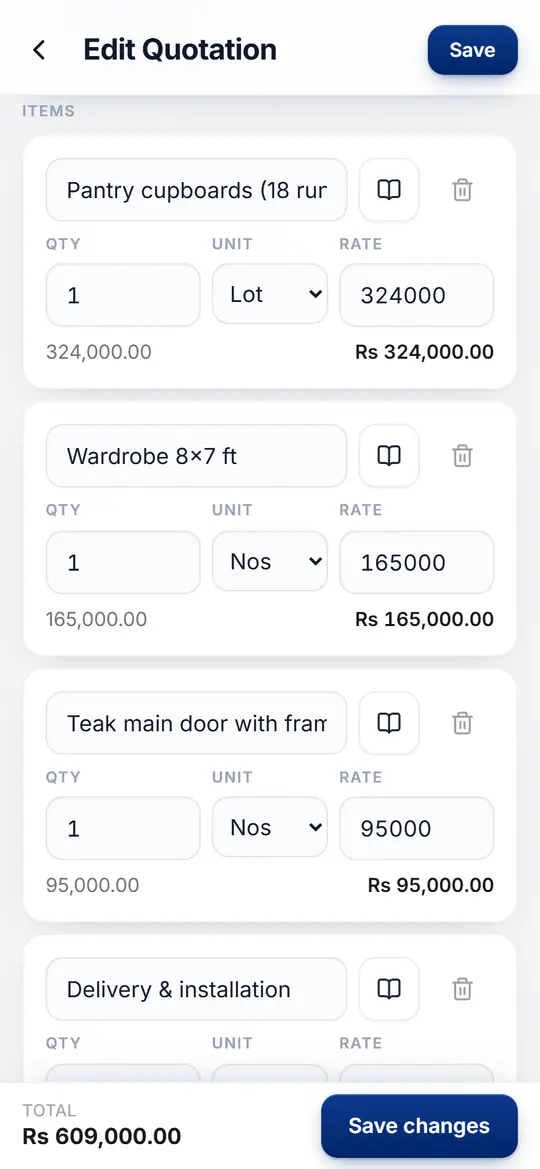
Tap New quotation, then pick or type the customer. Add items with the book icon to choose from your rate card, then set the quantity. MyTape™ works out every line and the total as you go.

TipNo signal on site? Keep working. On Lite and above MyTape™ saves your work and syncs it later.

Price the job on site

Share it on WhatsApp

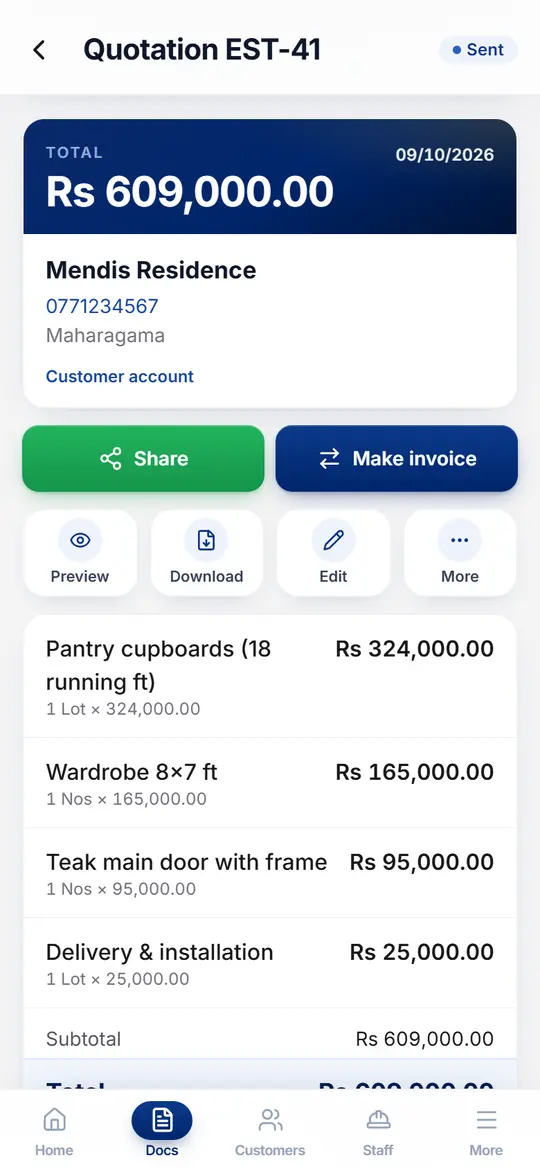
Save the quotation and tap Share. WhatsApp opens with a private link to a clean PDF, here for Rs 609,000.00. Your customer does not need the app to open it.

TipDownload gives you the same PDF to print or email.

Share it on WhatsApp

See when the customer opens it

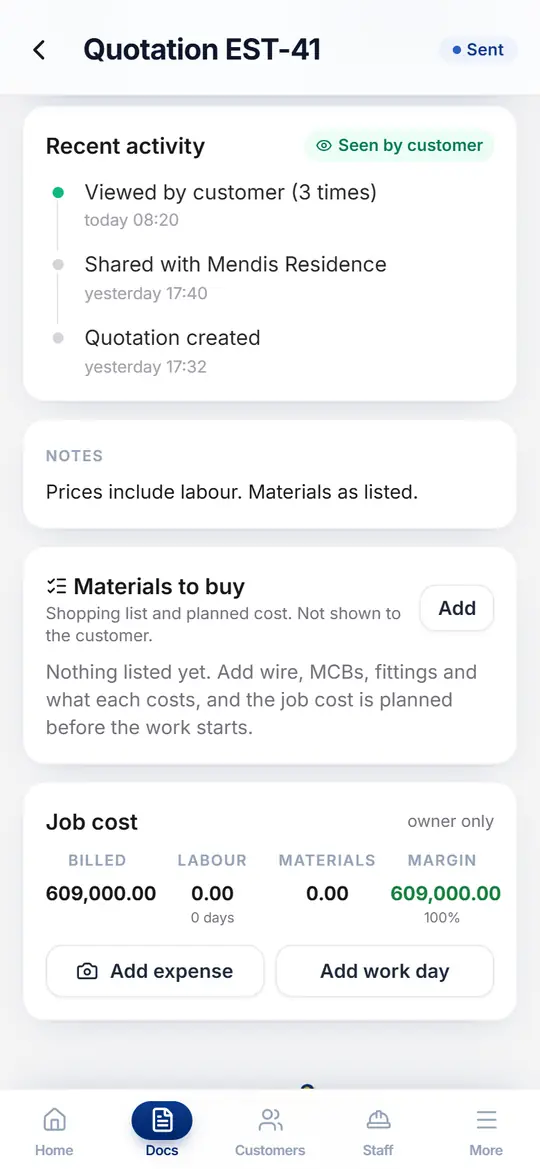
Scroll down to Recent activity. It shows when you shared the quotation and every time Mendis Residence opened the link, with a Seen by customer badge at the top.

TipIncluded in Pro and Enterprise.

See when the customer opens it

Turn it into an invoice and take payment

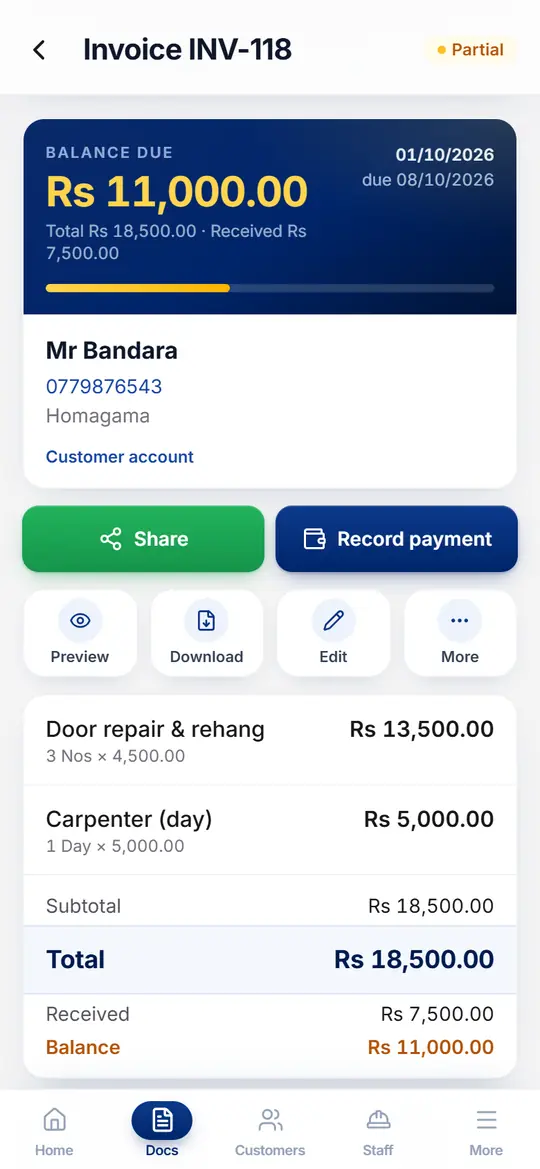
When the customer says yes, tap Make invoice and every line carries over. When money comes in, tap Record payment for cash, bank or card, in full or in part, and the receipt is ready to share.

TipAn advance taken before the work starts is applied to the invoice automatically.

Turn it into an invoice and take payment

Collect what is still owed

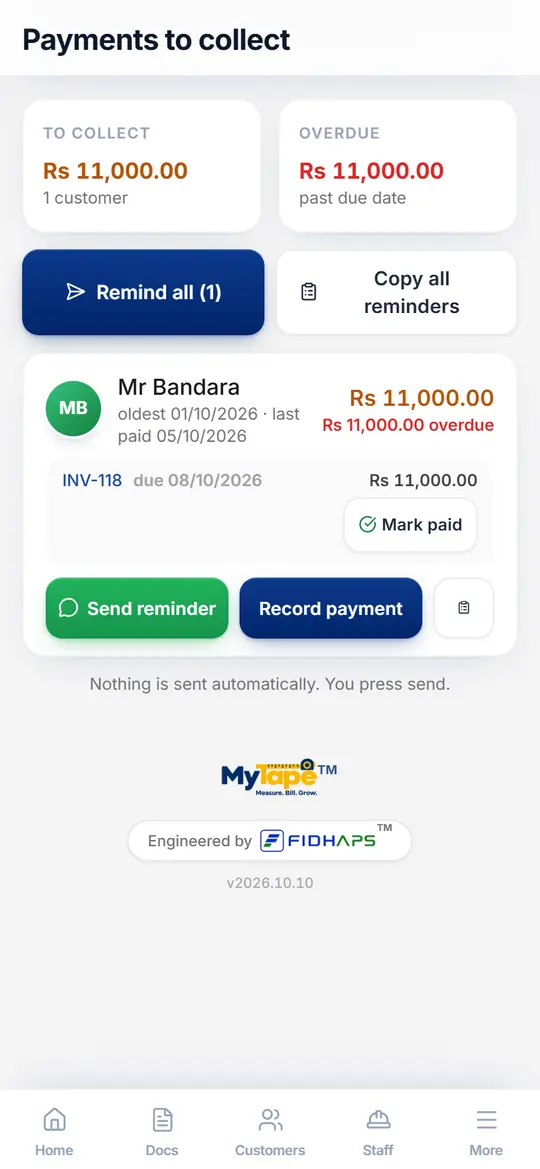
Payments to collect lists every open balance, oldest first. Tap Send reminder to open WhatsApp with a polite message and the bill link, or Mark paid when the money arrives.

TipNothing is sent automatically. You always press send.

Collect what is still owed

Convert measurements while you measure

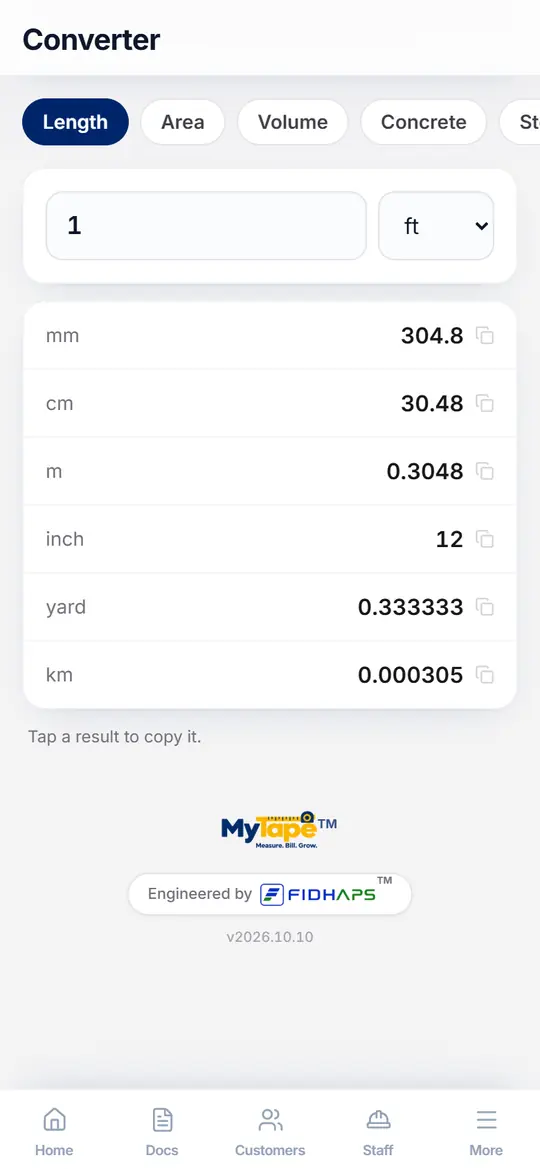
Open More, then Converter, then Length. Switch between feet, inches, metres and millimetres without a separate calculator.

TipIncluded from the Lite plan.

Convert measurements while you measure

Try it with your own jobs

Every new account starts with a 30-day Pro trial, so you can follow these steps with every feature switched on.